Site Settings
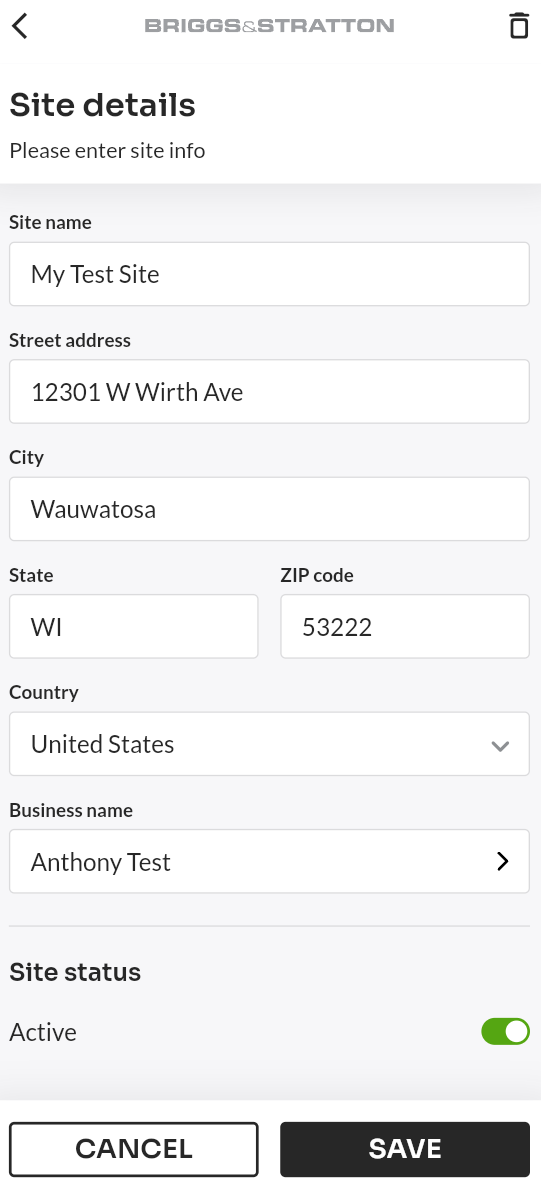
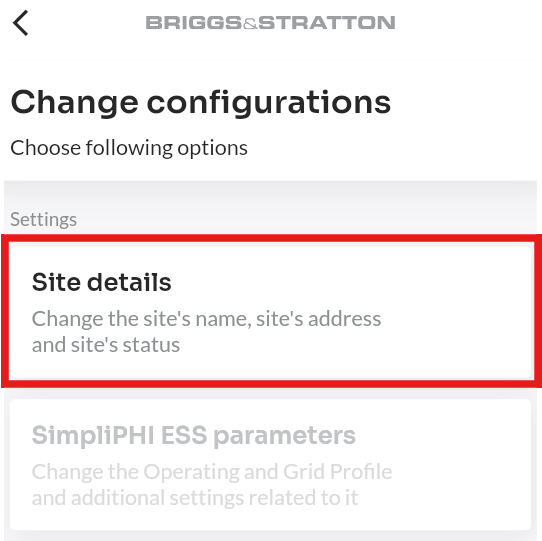
The Site Details screen displays basic information about a site, including the site name, address, business name, and status.
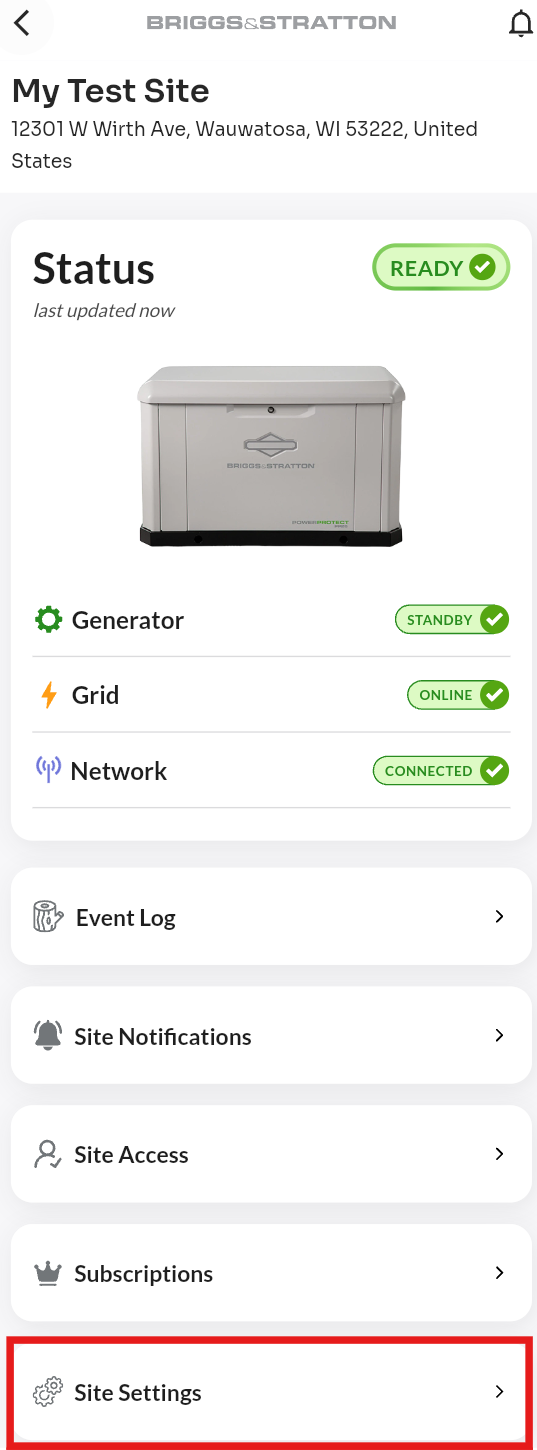
To access: Select a site → Site Settings → Site Details.
Removing a Site
To remove a site from EnergyTrak, follow these steps:
- Select the site you want to remove and select "Site Settings."
- Select "Site Details."
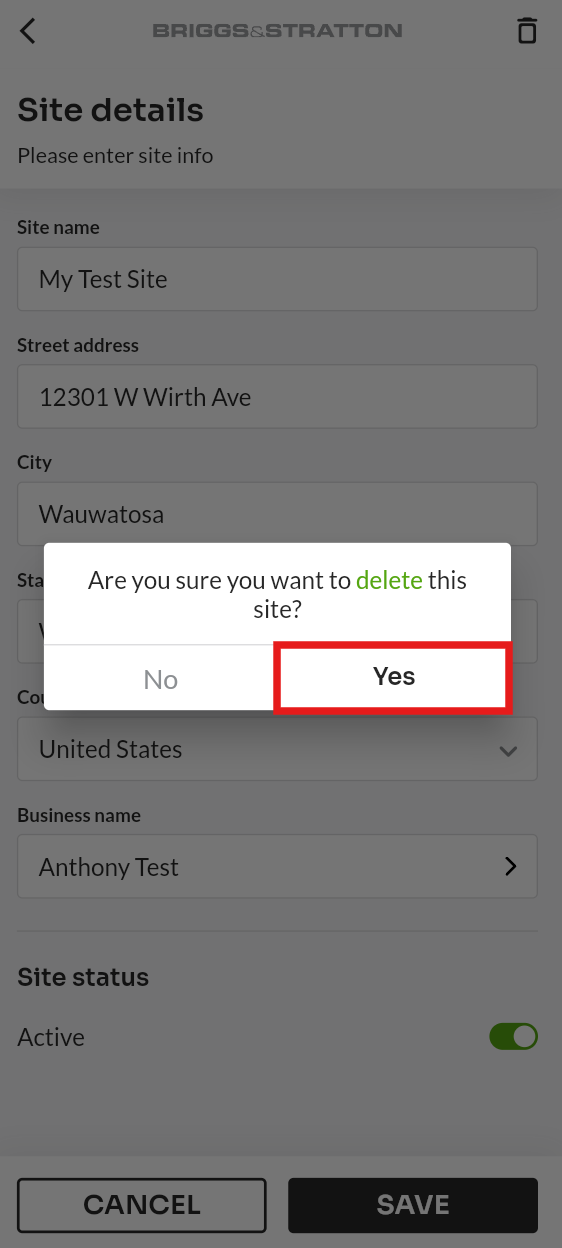
- Select the trash icon in the top right corner.
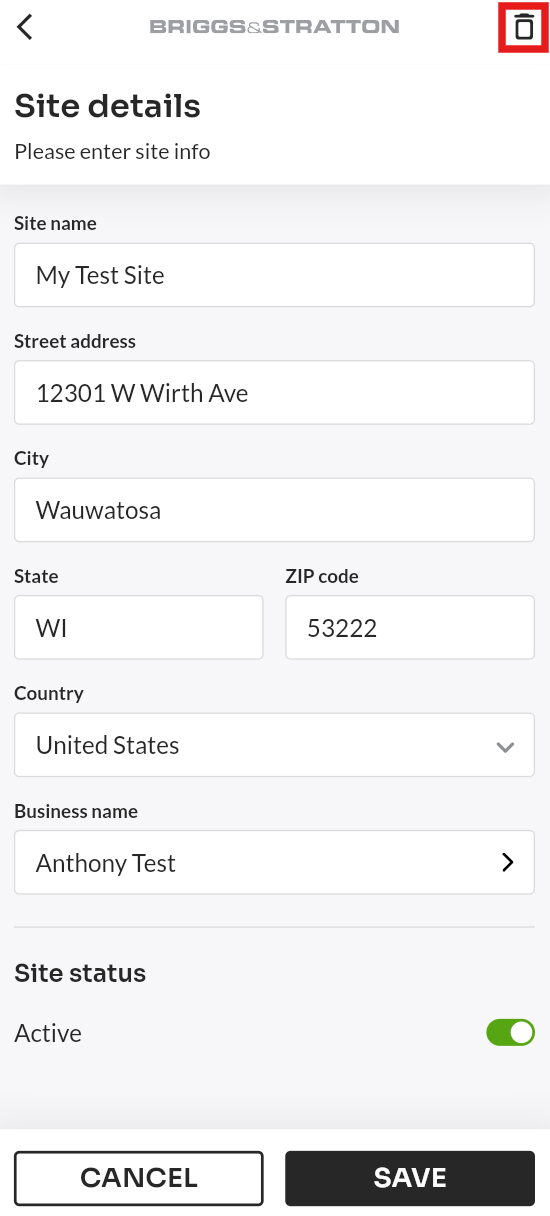
- Confirm the removal.
For detailed steps on user roles, permissions, and the user assignment process, please refer to the Users page.